To create a Request, click on the ‘New Request’ button in the Requests section.
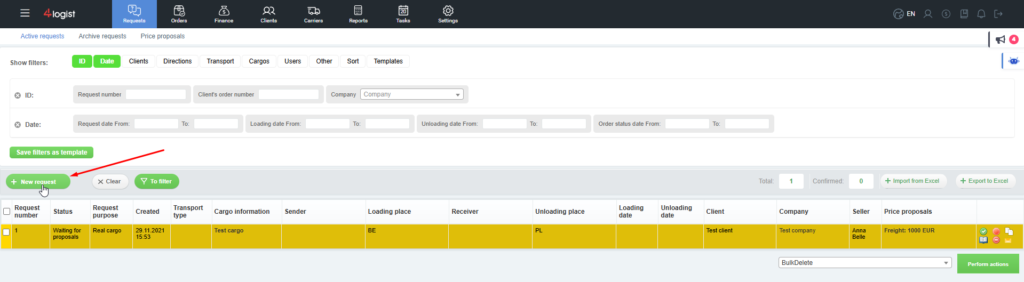
Next, you need to fill in the required fields and tabs. Only those fields marked with a red asterisk are required to be filled in.
You can fill in all other data as needed.
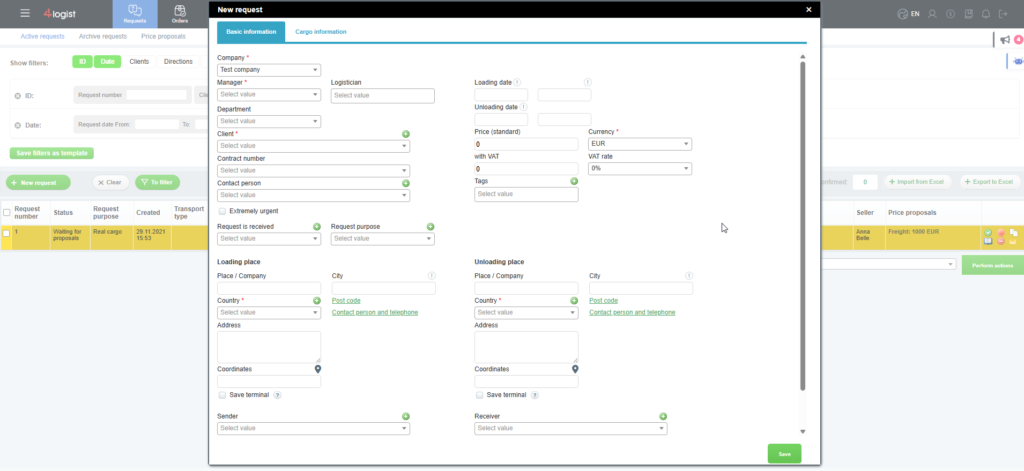
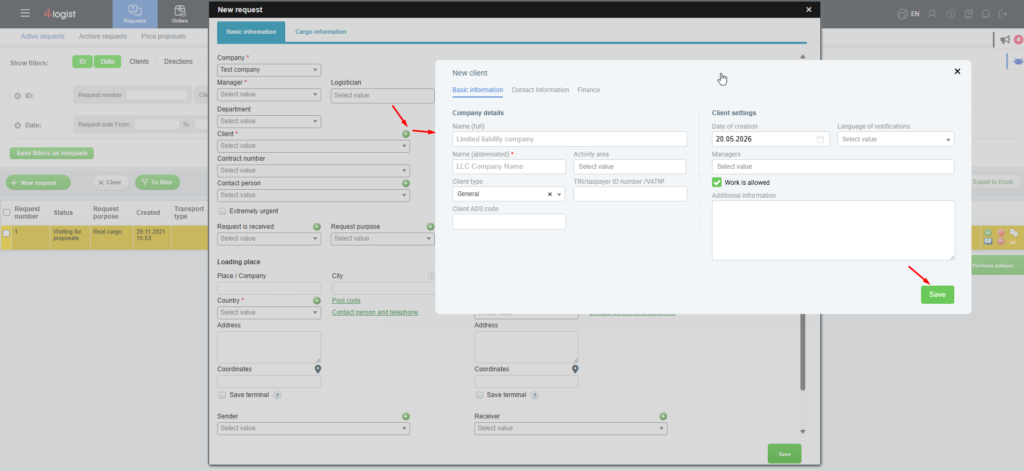
When you fill in the Client field , you can select both Clients from the system database and create a new Client.
To do this, click on the ‘Create’ button and fill in all the client data in the window that appears.
You don’t have to fill out the card completely.You can only enter data in the fields marked with a red asterisk.
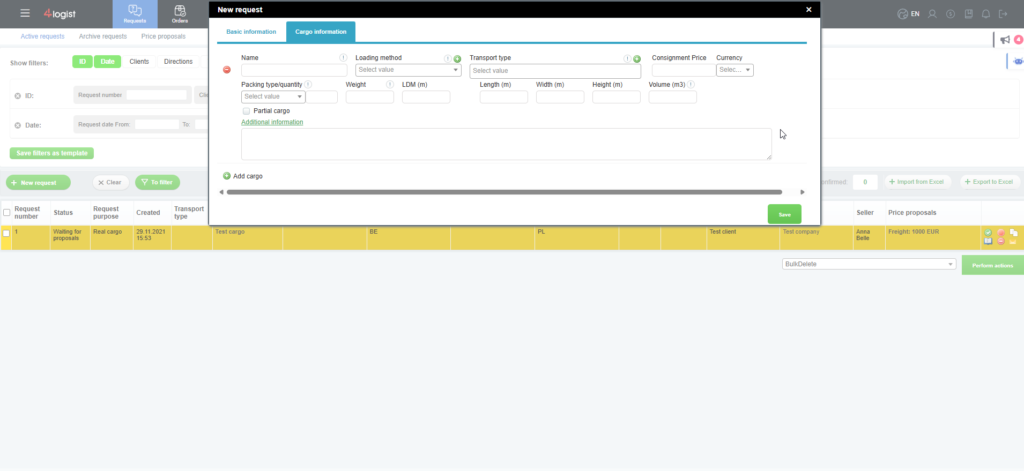
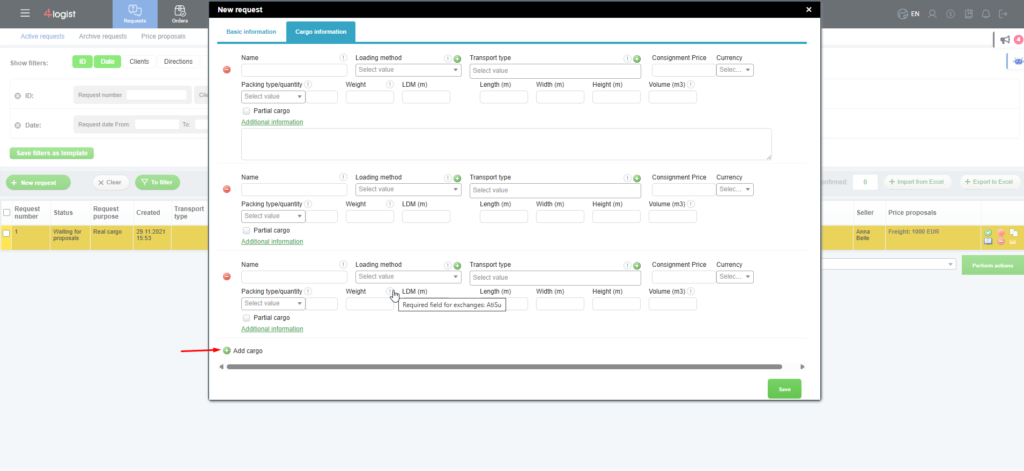
You can add an unlimited number of Cargo Items in the Request.
To do this, click the ‘ + ‘button in the’ New Request ‘ card, in the ‘Cargo Information’ tab.
To save the data, click the ‘Save’button.
Was this helpful?
0 / 0