A subcontractor is a transaction where one company transfers an order received from a customer to another company as part of a contractual relationship. The money that the client pays to the first company will be partially transferred to the other company, and so on, if there are more companies.
This option is only available for the professional pricing plan.
To work with subcontracting transactions, you need to follow two steps:
Step 1. Create links between contractor companies.
To do this, we have added the “Company” field to the form for adding a new Clien or Carrier. A single company can only have one connection to the Client and one connection to the Carrier. You can’t link one company to multiple customers and multiple carriers.
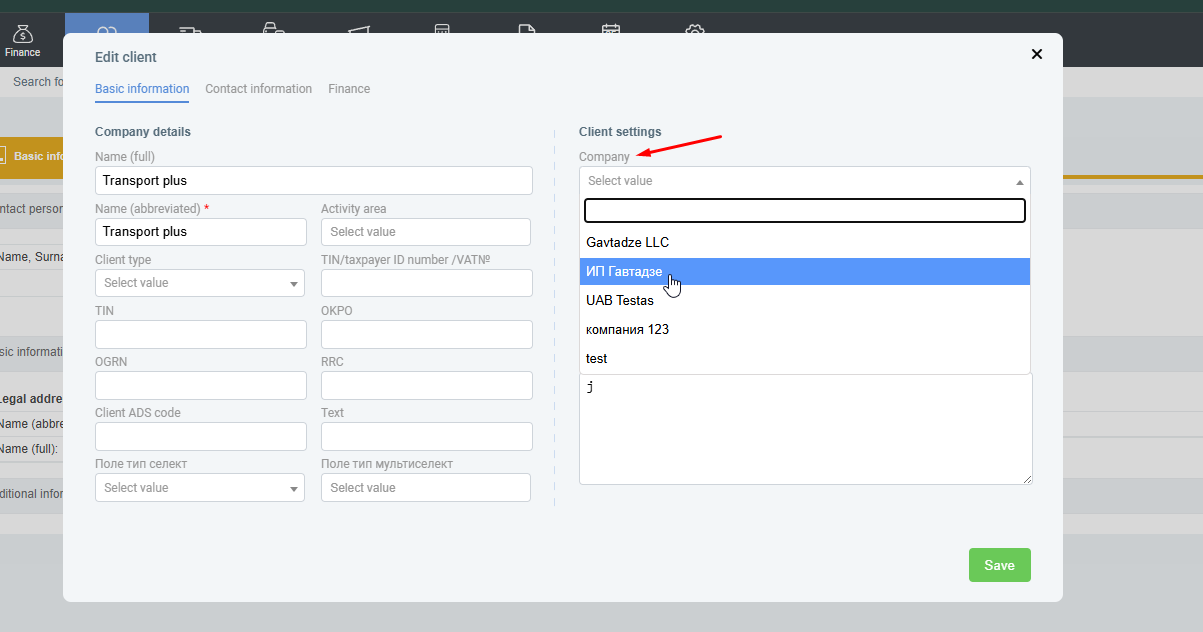
The “Company” field allows you to select one of our companies from the Organizations list in the Organizations section Companies:
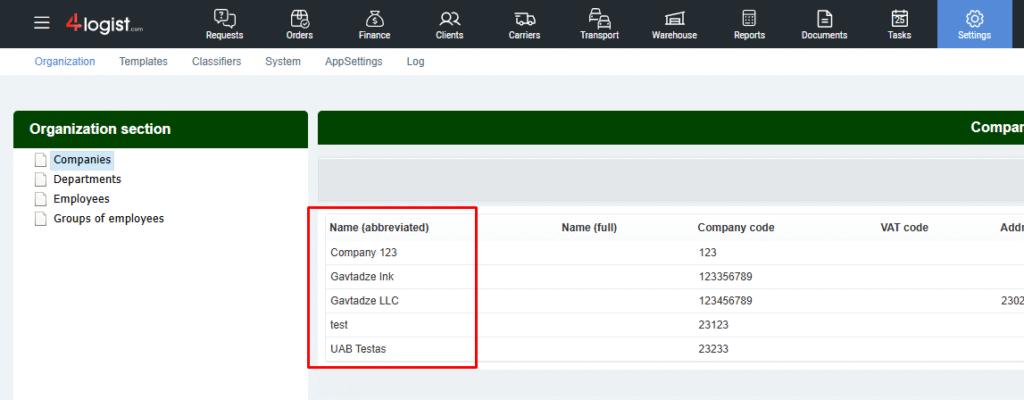
When you select organization data in the Clients section, it is replaced with company data from the Companies section.
Autocorrect includes transferring only basic information and banks.
Step 2. Create a subcontracting transaction.
To create a subcontracting transaction, select an order in the general table and click the duplicate icon:
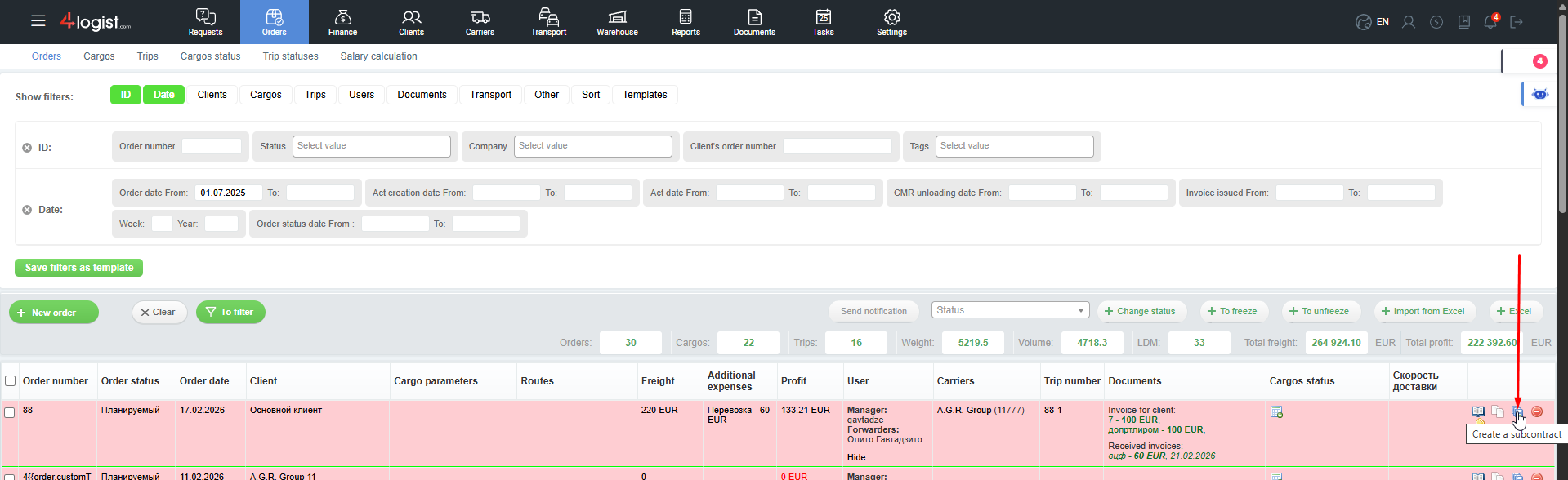
When you click on the ‘Subcontracting’ button (the “create s subcontract” button), a form will open where you can choose which data to transfer to the new order:
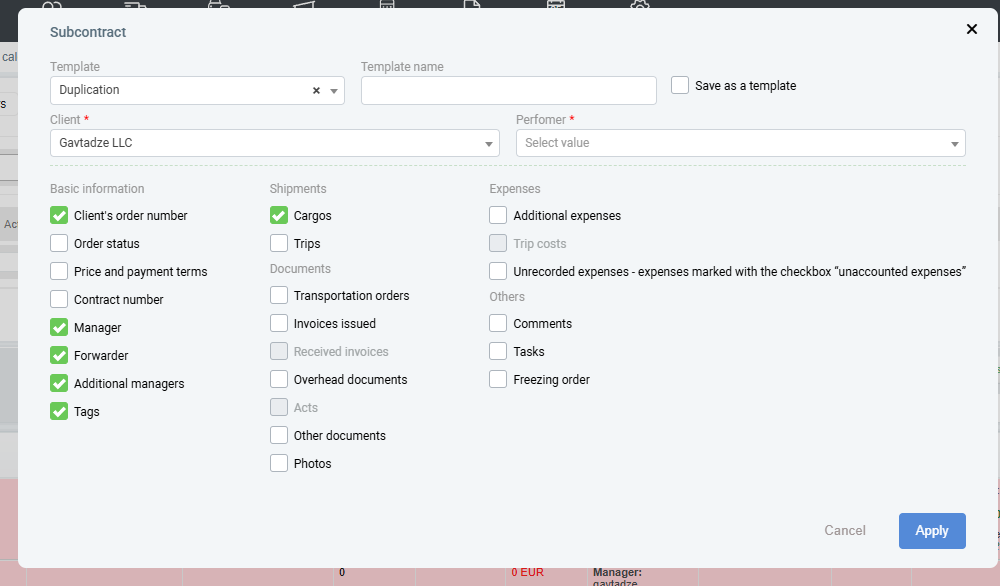
When you click the “Apply” button a duplicate order is created, where data is copied from the parent order in accordance with the marks in the form.
Automation of filling out the form:
When duplicated, the company that was listed as a Performer in the main order becomes a Client.
If there is a trip in the order from which we are creating a subcontractor and our contractor company is specified as the Carrier, then the Carrier in the new order will become the Contractor.
In this way, we can take an order from a client and transfer it to our second company, making it an executor.
How do I view subcontracting deals?
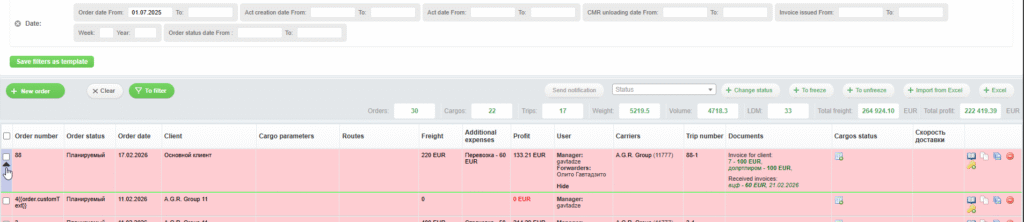
To simplify the search and work with subcontracting transactions, a small icon (so-called spoiler) has been added to the main table, which will combine subcontracting orders with the same numbers.
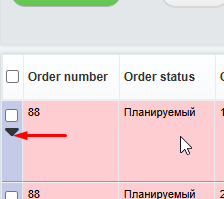
Under the spoiler, orders display the same data as regular orders.
All duplicated orders are arranged in groups, according to the creation chronology, under the spoiler of the parent order. You can expand the spoiler and see all related orders.
Was this helpful?
0 / 0