The system allows you to issue a general invoice for several different orders from a single client.
To do this, go to the Finance – Issued Invoices section and click +Add.
In the form that opens, select a template, payer (customer), payment date, and add orders for which an invoice is issued. Each order will become an invoice line.
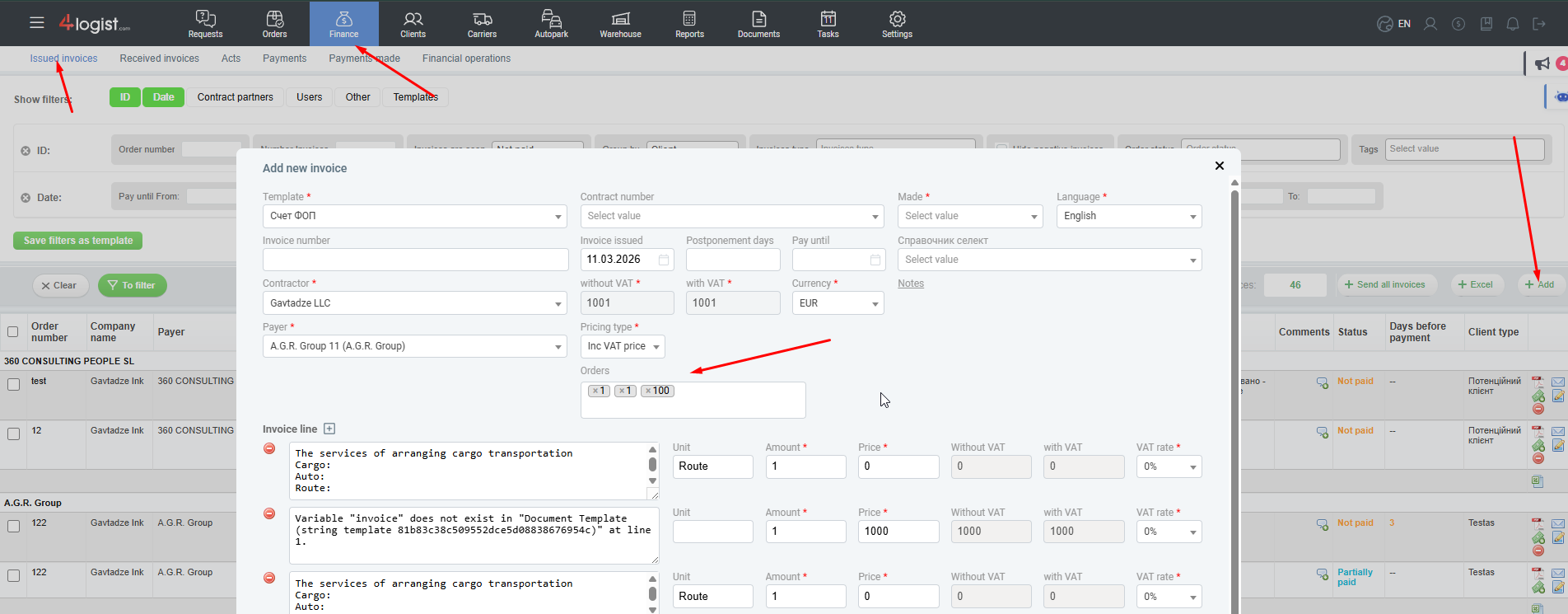
After selecting all orders, click Save.
Was this helpful?
1 / 0