User Billing Account in 4logist
Our system includes a Billing feature where you can find all financial information related to your license, pay for services, add users, and download invoices and acts.
This tool is designed so that users can independently manage the financial aspects of cooperation with our company and confirm their payments without contacting support.
Access to Billing is available to users with Super Admin rights and can be found in the upper-right corner of the application.
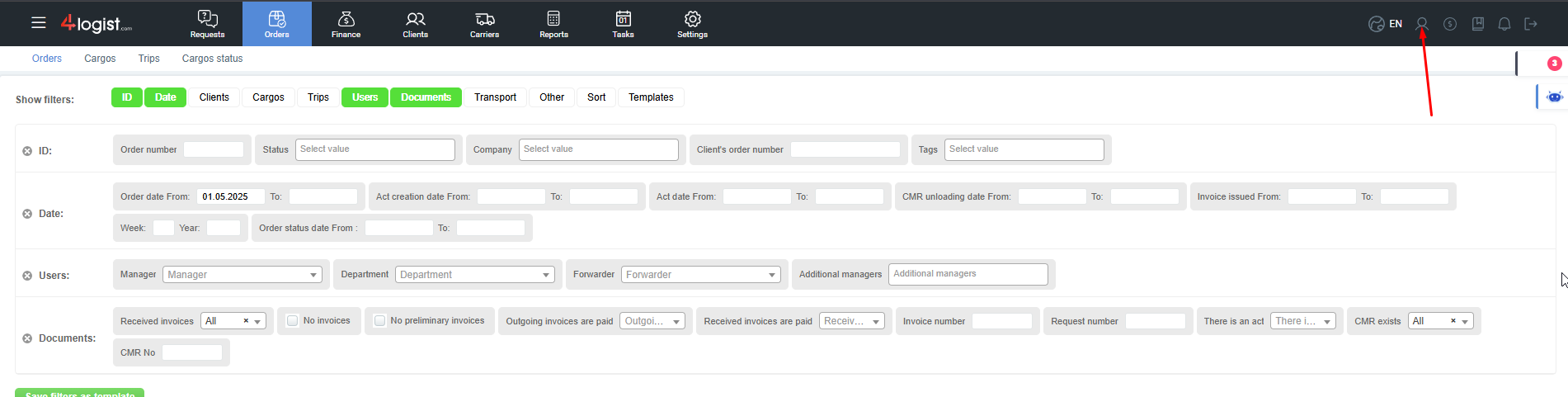
When you click the icon, a new window will open.
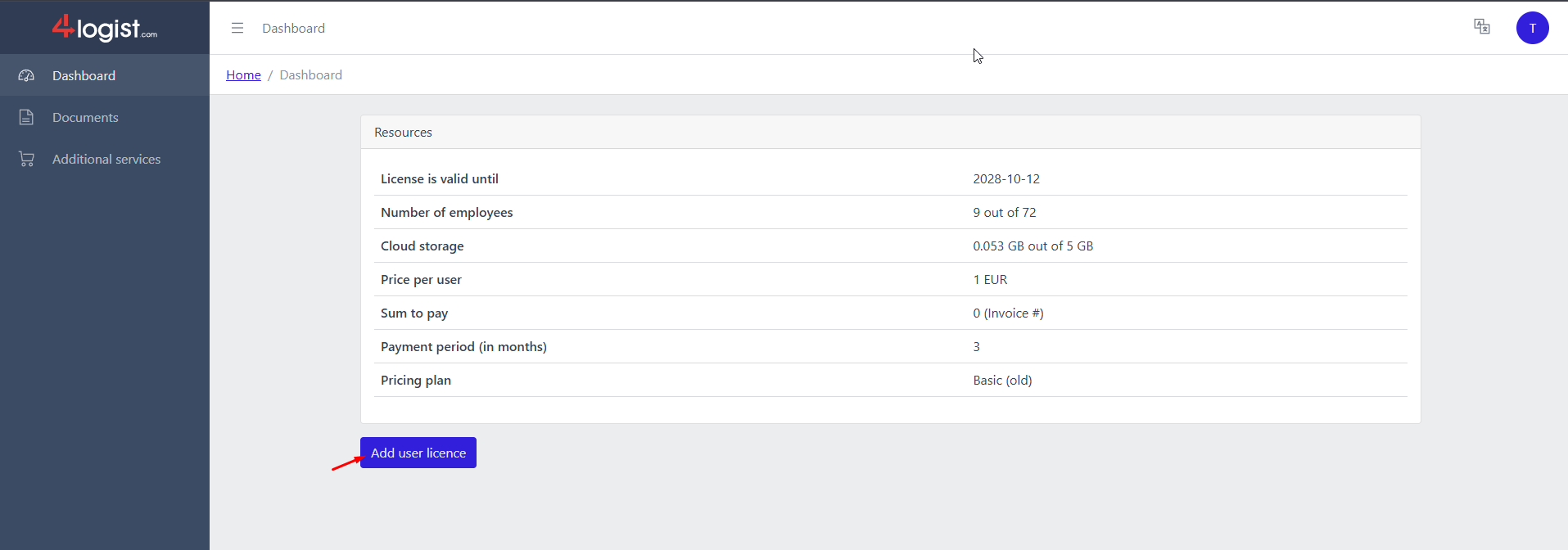
On the main page, you can see:
- The license validity period (subscription end date);
- The number of paid and used licenses;
- The amount of cloud storage space used for your files;
- The price per user per month;
- The amount due — this shows the total of the most recently issued invoice;
- The payment period (how many months in advance your default billing cycle is set).
Adding a New User
On the main page, you can add new users and generate an invoice for payment.
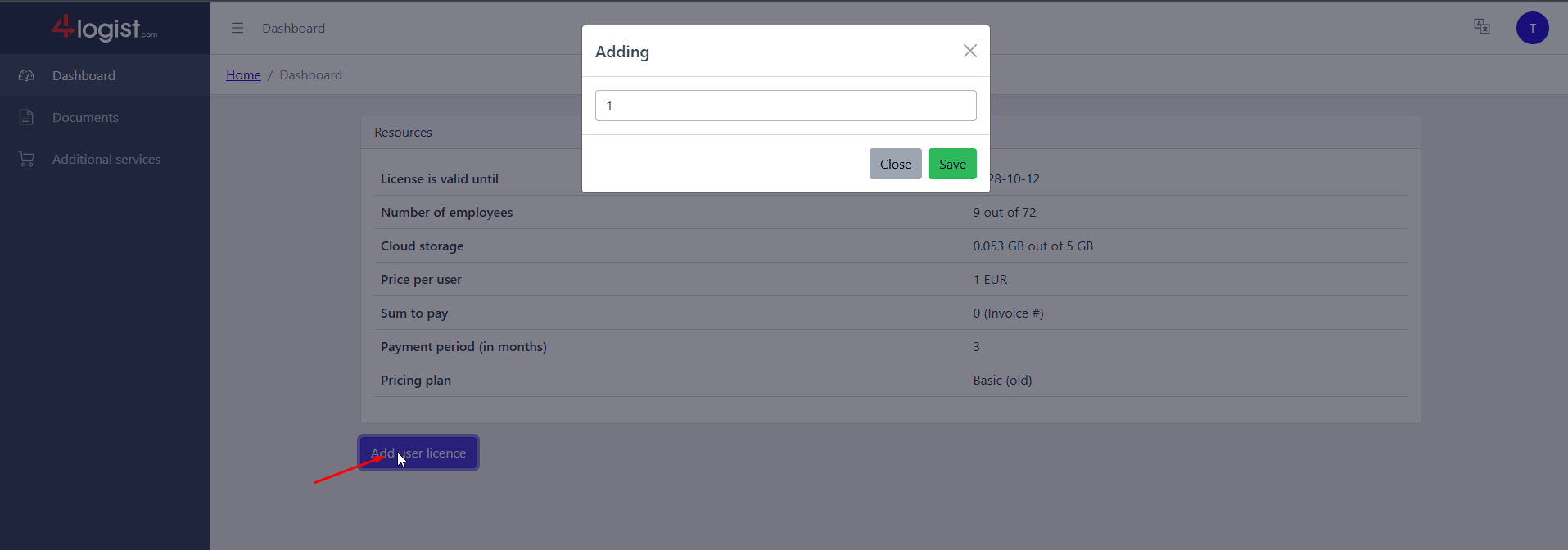
To do this, click the Add User license button.
In the window that opens, specify the number of licenses you want to add and save the changes.
After that, an invoice for the new users will be sent to your email.
You can also download the invoice immediately by going to the Documents section.
To do this, click on the three lines in the upper-left corner and select Documents from the menu.
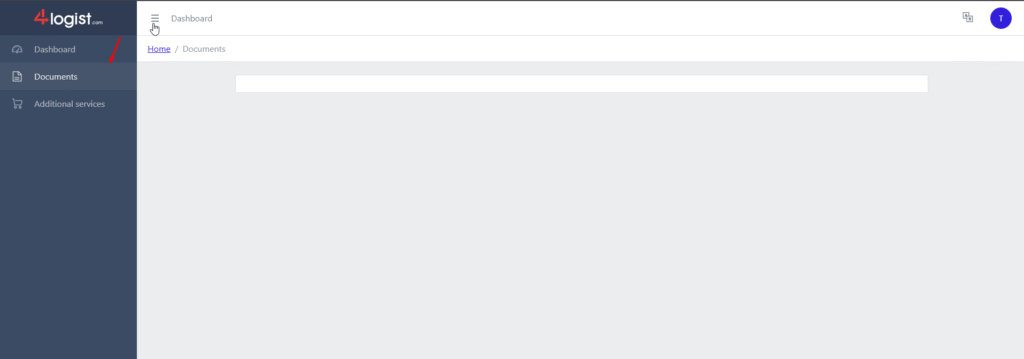
Next to each document, you have the option to download it and then confirm the payment.
When confirming a payment, you need to attach the payment document.
This document will be sent to the accounting department and processed as quickly as possible.
After 15–60 minutes, you can return to this section and refresh the page.
How to check if you can add a new employee?
On the main page, the number of used and available licenses will be displayed.
For example, if it shows 13 of 14, it means you have one free license and can add a new employee.
Was this helpful?
0 / 0