Description
The systemnow allows you to use values from the free classifier of the order creation form when setting up order numbering.
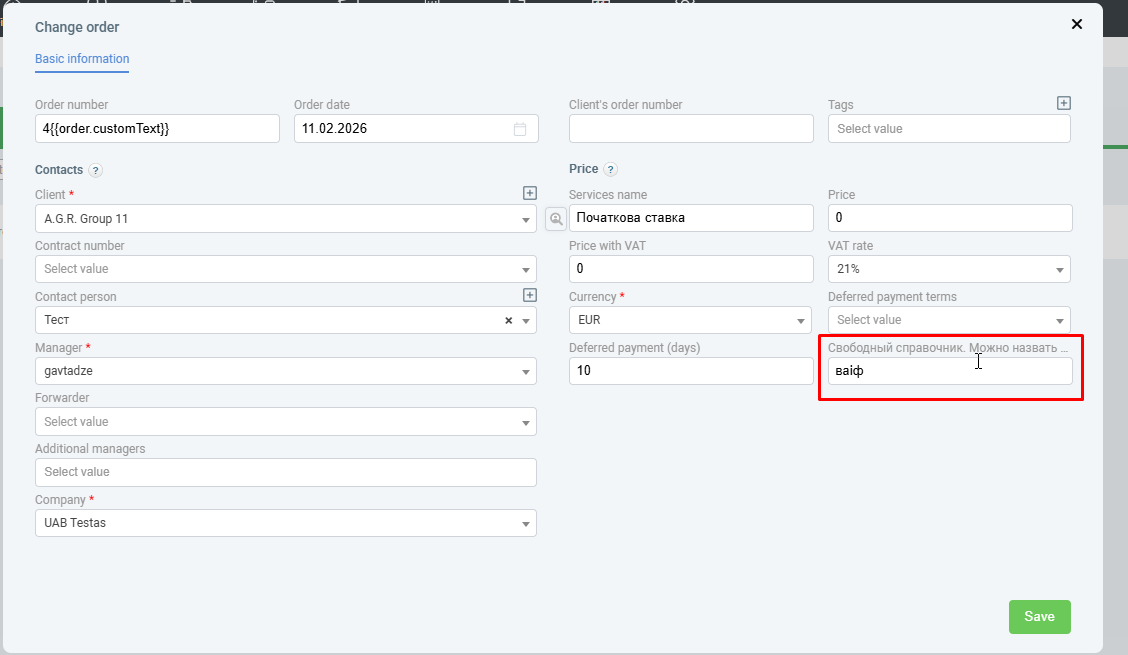
A free directory is a custom field for entering information in an order. You can add this field when contacting technical support.
Example of such a field:
Why this is necessary
Many companies use their own segmentation of orders: by type of transportation, destination, customer segment, or internal classification. Now you can set up separate numbering for these segments using business-friendly names from the free directory.
How it works
when setting up order numbering, you can select a free directory field and use its value as part of the numbering rule. The directory values are set by the user and can correspond to the company’s internal terms.
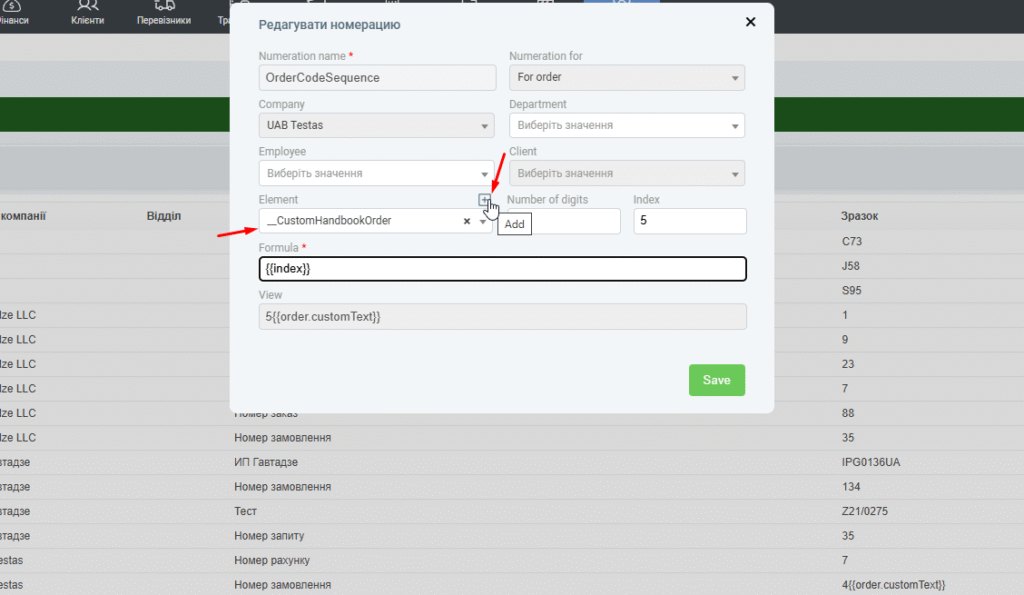
To do this, go to Settings-System – Numeration
and add (or change) numbering there.
In the item field, select a free order reference and click Add-plus sign above the field.
Information from the free directory should be added to the numbering formula.
Practical use
the functionality allows you to:
- segment an order based on the customer’s business logic;
- configure different number formats for different order types;
- make numbering more understandable for employees and contractors.
Was this helpful?
0 / 0